comparison
Flatbed, photo feeder or camera copy stand: which capture setup fits my studio workload?
The three common capture methods differ in speed, quality, and risk to originals. Compare them by throughput, handling of fragile prints, cost per station, and what each one cannot do.
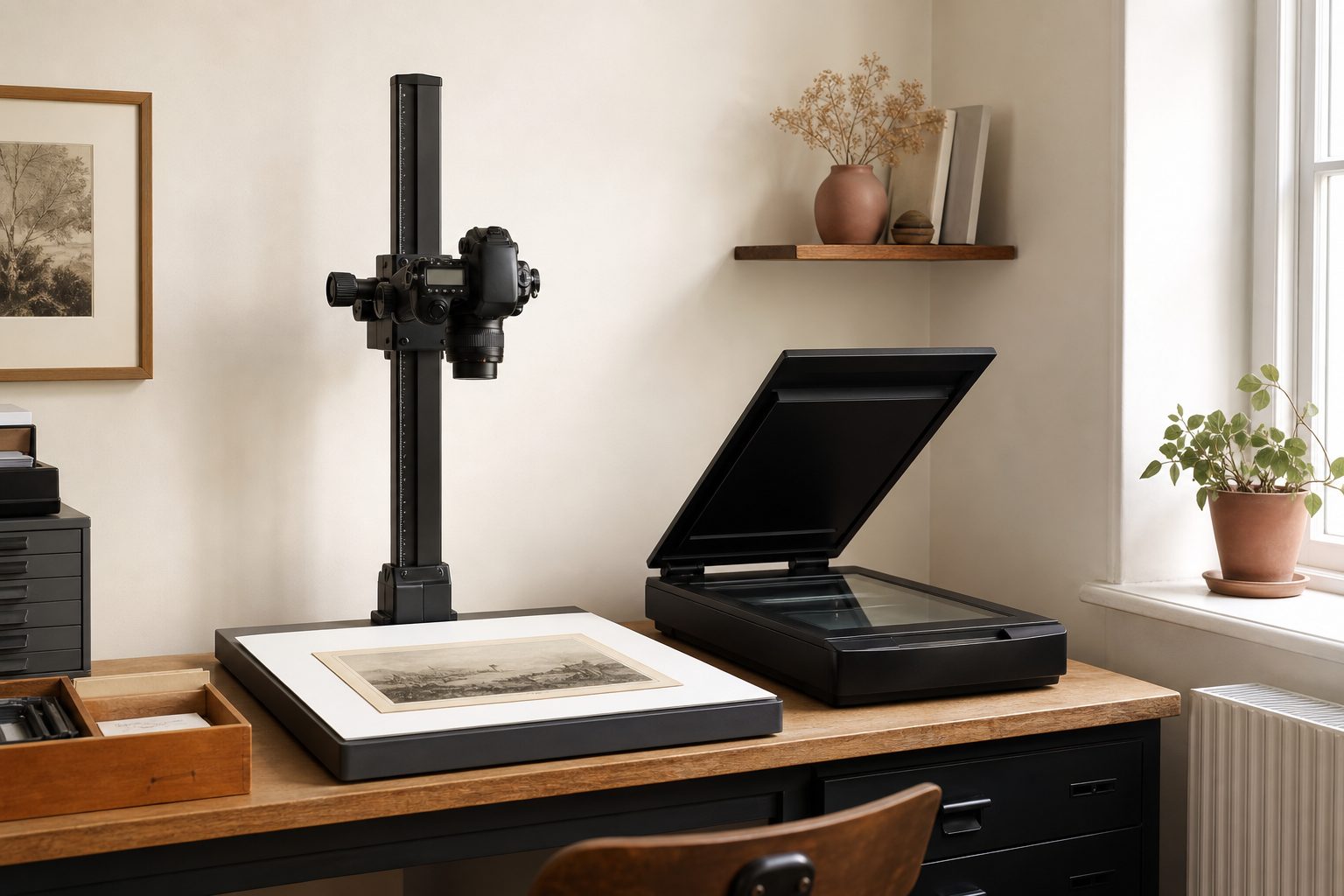
Match the method to the material, not to the marketing. A photo feeder is the volume workhorse for loose, undamaged, uniform prints. A flatbed is the quality and safety option for anything fragile, oversize, or bound. A camera copy stand is the fastest way to get through bulky and awkward material, and the only one of the three that handles a thick album without disassembly.
Most working studios run two of these, not one. The usual pairing is a feeder for the bulk of loose prints with a flatbed standing by for exceptions. Studios that take a lot of estate work and intact albums often pair a copy stand with a flatbed instead, because the copy stand eats the awkward material and the flatbed cleans up the small precise items.
What follows compares them on the four things that actually decide the purchase: how many images an hour you really get, what each one can and cannot capture, what it does to the originals, and how much work it dumps on you afterward.
Throughput per hour, realistically
Vendor throughput figures describe the machine cycling, not a person working. Real studio throughput includes fanning prints, checking for stuck pairs, loading, unloading, spot checking output, and dealing with the item that does not cooperate.
| Method | Where the time goes | Realistic pattern |
|---|---|---|
| Photo feeder | Batch prep and jam recovery, not capture | Highest volume by a wide margin on uniform loose prints |
| Copy stand | Placing and removing each item, page turns | Fast and steady; page turning is quicker than repositioning on glass |
| Flatbed | Lid cycles and scan passes, which are slow at high dpi | Slowest per image, and it drops further as dpi rises |
Two details matter more than the ranking. First, a flatbed's speed collapses as resolution climbs, because the carriage physically travels slower; a copy stand's capture time barely changes with resolution because the sensor exposes all at once. Second, a flatbed recovers a lot of ground when you gang multiple prints on the glass in one pass and split them afterward, which trades scanner time for software time.
Measure your own rate before you plan capacity. Time one honest hour on a representative box, count usable finished images at the end, and use that figure. It is almost always lower than you expect and it is the only number worth planning against.
Keep reading: What does a photo organizing contract need to say about loss, damage and the client's originals?
Image quality ceiling and what each method is best at
All three can produce good files. They fail differently.
Flatbed
Even illumination, no perspective error, no focus drift, and a transparency unit if you need film. It is the reference method: when an image matters, the flatbed is what you check against. Its ceiling on reflective prints is high enough that the print runs out of detail first.
Photo feeder
Very good on ordinary snapshots and consistent because every print passes the same sensor the same way. The ceiling is generally lower than a good flatbed, and dust or a mark on the sensor line becomes a streak repeated across hundreds of images, so glass checks belong in your batch routine.
Copy stand
The ceiling depends entirely on your setup: the lens, the lighting, and the discipline of your alignment. Done well, with a decent macro lens, cross polarized lighting and a properly squared camera, it is excellent and handles textured and glossy surfaces better than glass does, because you can kill reflections with polarization. Done carelessly, it produces soft corners, uneven light falloff and keystone distortion on every single frame.
The copy stand is the method with the widest gap between best case and typical case. That is a real consideration if the work will be shared with staff.
Risk to originals: rollers, curl, brittle prints, and taped albums
This is the section that should decide the purchase, because damage to a client's only surviving print is a loss no discount fixes.
- Feeders pull prints through a transport with rollers. That is fine for flat, sturdy, modern prints. It is a genuine hazard for anything curled, torn, brittle, thin, or with adhesive residue. Never feed a print you would not be willing to replace.
- Flatbeds are gentle in principle but ask you to press items flat under a lid, which stresses brittle emulsion and can crack a curled print. Leave the lid up and drape a card for badly curled material rather than forcing it down.
- Copy stands are the lowest contact option. The item lies face up, nothing touches its surface, and you can capture something too fragile to lift by placing the whole page under the camera.
A simple triage rule worth writing on the wall: if it does not lie flat on its own, if it flexes with a crackle, or if it is stuck to anything, it does not go in the feeder. Send it to glass or to the stand.
Keep reading: Who owns the copyright when I scan a client's old studio portraits and wedding photos?
Handling bound albums and oversize items
Bound albums are where the copy stand justifies itself. A thick album will not lie flat on a flatbed and pressing it down damages the spine, so the flatbed route usually means disassembling the album, which is slow, sometimes destructive, and often against what the family wants.
Under a copy stand, you turn pages and shoot. A book cradle or a wedge of foam supports the spine at an angle, you square the camera to the open page, and you keep the album intact. On magnetic albums with the clear plastic overlay, cross polarized lighting is what makes the shot usable, because the plastic otherwise mirrors the lights straight into the lens.
Oversize items follow similar logic. Anything larger than your platen on a flatbed means two passes and stitching, which is workable but fiddly and adds alignment error. A copy stand just needs the camera raised, at the cost of resolving less detail per inch as the frame widens. If oversize work is regular for you, decide whether your stand column has the height for it before you buy.
Cost per station and what it takes to add a second one
Compare total station cost, not device cost. Every method carries hidden line items.
- Flatbed station: scanner, a transparency unit or film holders if you do slides, capture software, a workstation that can push high resolution passes, and bench depth for the lid to open.
- Feeder station: the feeder, consumable roller and pad replacements, cleaning supplies, and enough table space to lay out sorted batches on both the input and output side.
- Copy stand station: camera body, macro lens, the stand itself, two lights, polarizing film for the lights plus a polarizer on the lens, tethering cable and software, and a color reference target.
Duplication economics differ sharply. Feeders and flatbeds duplicate cleanly: buy a second one, plug it in, and it behaves like the first. A second copy stand needs its own lighting build and its own alignment and color calibration, and unless you match the setups carefully the two stations produce visibly different files. If your growth plan is to add stations and hand them to staff, that is an argument for the methods that duplicate as products rather than as builds.
A quick way to compare on paper
Divide total station cost by images per year to get cost per image contributed by equipment. If a station costs 2,000 dollars all in and produces 40,000 images in its first year, that is 5 cents per image. Compare that against the labor cost per image at your real throughput and the equipment line usually turns out to be small next to the hours. Which tells you something important: buy for handling safety and post capture savings, not to shave the purchase price.
See how PaperKeepsake handles this for memory keeping and photo organizing services
Post capture work each method creates
The capture is not the finish line. Each method hands you a different pile of cleanup.
| Method | Typical cleanup |
|---|---|
| Feeder | Rotation for portrait and landscape mixes, occasional skew, streak checks from sensor dust, catching double feeds where an image is missing entirely |
| Flatbed | Cropping and splitting when ganged, deskew from hand placement, dust spotting on film |
| Copy stand | Cropping every frame, lens distortion and perspective correction if alignment drifted, white balance and exposure consistency across a session |
The copy stand's cleanup is the most automatable, because if your setup is stable the same crop and the same color correction apply to a whole session. That is the payoff for the setup discipline: consistent inputs make batch processing trustworthy.
The feeder's cleanup is the most dangerous, because its characteristic failure is silent. A double feed does not throw an error; it produces a batch with one fewer image than the client had. Counting output against a known input count for every batch is not optional.
Choosing a primary and a backup for exceptions
Work through this in order and the answer usually falls out.
- Estimate the share of your annual volume that is loose, flat, undamaged prints. If it is dominant, the feeder is your primary.
- Estimate the share that is intact albums, oversize, or fragile. If that is substantial, the copy stand is your primary or a strong second.
- Ask whether you take film. If yes, you need a flatbed with a transparency unit or a dedicated film path regardless of everything above.
- Ask who runs the station. Staff and volunteers do better on feeders and flatbeds; a copy stand rewards a practiced operator.
- Whatever you choose, keep a flatbed. It is the exception handler and the quality reference, and every collection produces exceptions.
Keeping the method attached to the work
Whichever mix you land on, one project will end up spanning all of it: the loose prints through the feeder, the taped album under the stand, the slides on glass. What ties it together is a record of which images came from where, and which box or album each one belongs to.
That is the structure PaperKeepsake gives you. Client archive projects hold scanning batches, so each capture run stays identified and countable, date and person tagging carries the family context across every method you used, and the shareable family index presents one searchable archive rather than three folders named after machines.